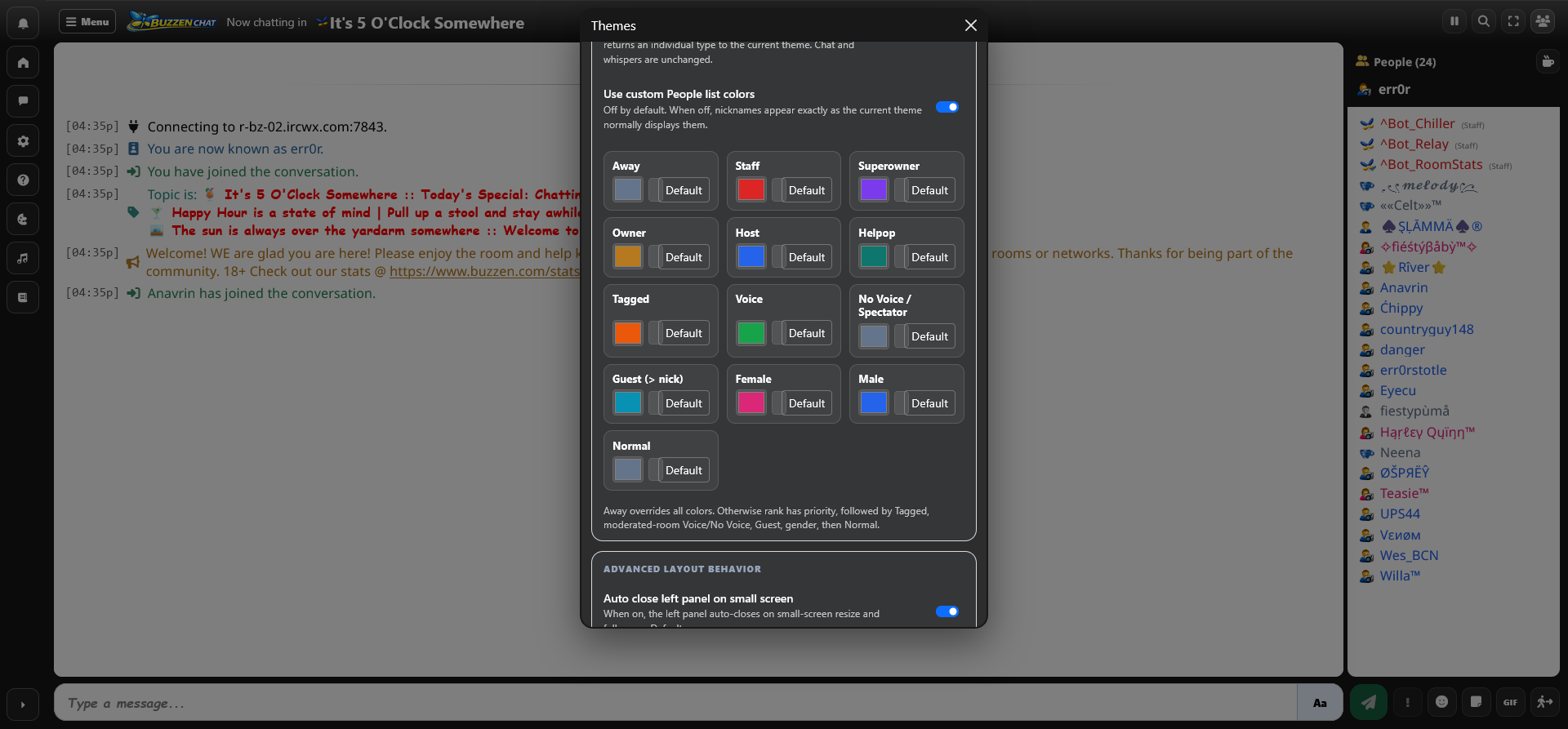
We’ve added a new nickname coloring system to WebChat V5, based on a suggestion from Sissy. It lets you customize how names appear in the People list so different types of users are easier to spot at a glance.
This is completely optional. If you never turn it on, everything will continue to look exactly the way it does now.
If you do want to use it, open Theme, switch to Advanced, then scroll down to People List Colors.
Turn on Use custom People list colors, and you can choose different colors for:
Away, Staff, Superowner, Owner, Host, Helpop, Tagged, Voice, No Voice/Spectator, Guest, Female, Male, and Normal users.
Click the colored square next to any option to pick a color you like. If you know the exact color code you want, you can type that in too. If not, just use the color picker and choose whatever looks good to you.
Each category also has its own Default button, so you can customize only the ones you care about and leave the rest using the normal theme color.
There is also a Reset to Default button for the entire section. So if you get a little too creative and your People list starts looking like a bag of Skittles exploded, one click will put everything back the way it was.
The system also knows which color should take priority. For example, an Owner will use the Owner color instead of the Male or Female color. Away users temporarily use the Away color, and when they return, their normal color comes back automatically.
For now, this only changes the actual People list. It does not change chat messages, whispers, or the nickname shown above the People list.
It’s a simple little feature, but it makes busy rooms easier to read and gives everyone a bit more control over how WebChat V5 looks.
And credit where it’s due — thanks to Sissy for the suggestion.
Comments
Be the first to join the discussion.